Launch Glance
The native Windows app attaches to the top of your primary display and stays available above your workspace.
 Glance
Get Glance
Glance
Get Glance
A native notch for Windows
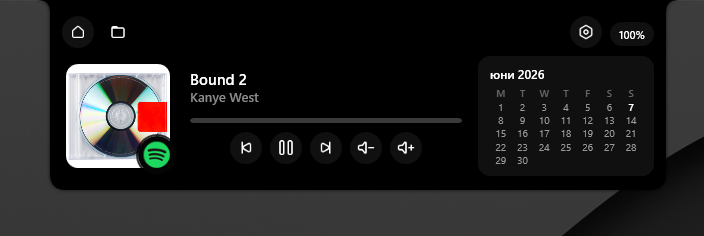
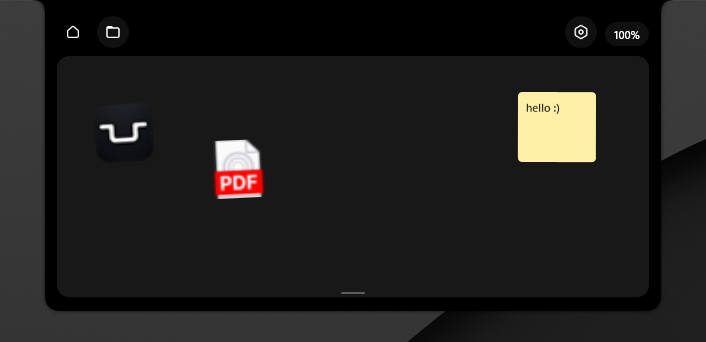
Glance sits at the top of your screen and expands when you need it: music controls, a temporary Shelf, calendar, battery, and quick status surfaces without opening another window.
Native Windows app. Top-attached. Compact until you need more.
Product interaction
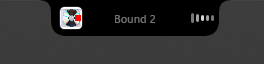
Glance starts as a small top-edge notch. It expands into media controls or Shelf only when there is something useful to show.
Step 01
Glance stays closed at the top of the display, using just enough space to show current context.
How it works
The native Windows app attaches to the top of your primary display and stays available above your workspace.
Open it for Now Playing controls, Shelf items, calendar, battery, and quick status checks.
When you are done, Glance collapses back into a small top-edge surface instead of staying in your way.
Features
Now Playing
Shelf
Status
Native Windows
Quiet by design
A small surface for the controls, files, and status you reach for most.
Roadmap
Glance is in early development, so bugs and rough edges are very likely while the app takes shape.
Choose which widgets live inside the expanded notch.
Adjust size, position, appearance, behavior, and defaults.
Reorder widgets and hide surfaces you do not use.
Add useful widgets beyond media, Shelf, calendar, and battery.
Windows build
Early development preview. Bugs and unfinished behavior are likely.
The current build includes the top-attached notch, media controls, Shelf, settings, tray actions, calendar, and battery surfaces.
Download Windows build Downloaded from GitHub Releases. Unzip it, then run Glance.exe.